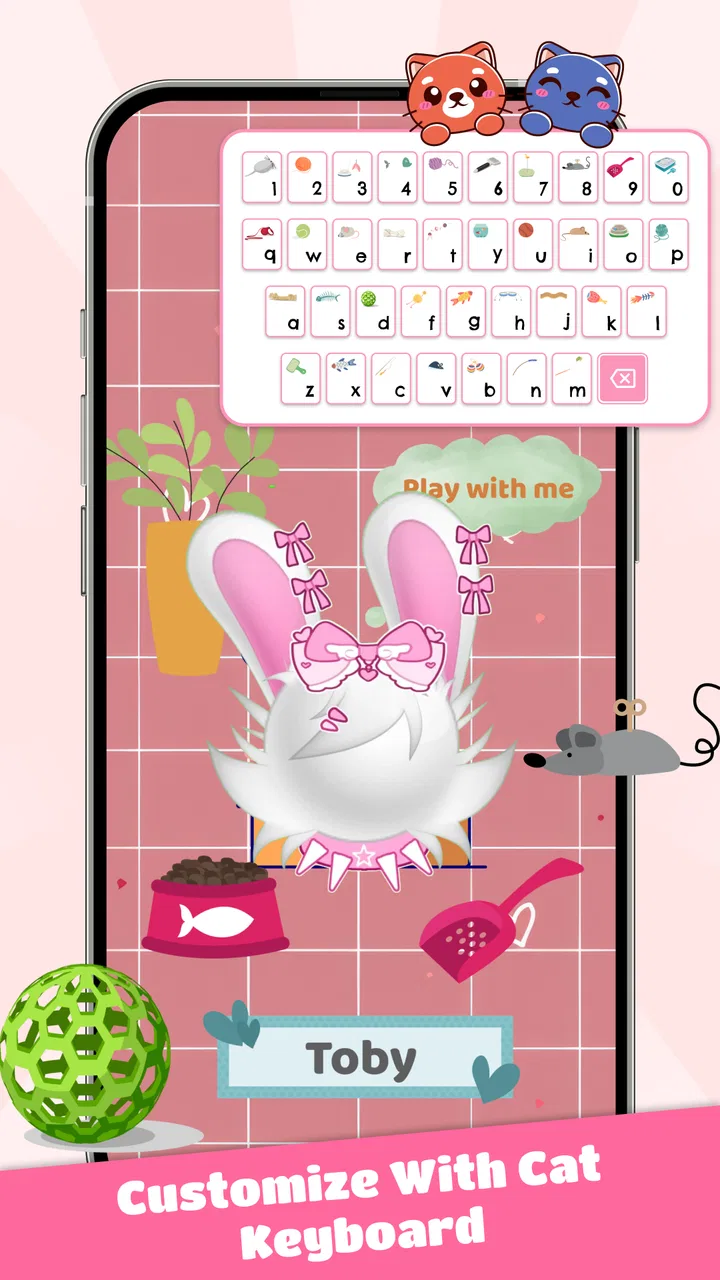
PFP Maker: Cat Emoji
- 4.0
- Rating
- 1.00M
- Installs
- Free
- Price

 Analysis by App-foxy
I tried PFP Maker: Cat Emoji as a lightweight way to make cat-themed profile images, and its appeal became clear almost immediately: it focuses on a small, cheerful creative task rather than trying to become a full illustration studio. If you want a cute avatar for a messaging account, social profile, gaming identity, or contact image, the app gives you a simple place to experiment with cat-inspired designs without requiring drawing experience.
That narrow purpose is both its biggest strength and its main limitation. I would not open it expecting layers, detailed brushwork, photo retouching, or the flexibility of a serious design editor. I would open it when I want a recognizable cat face, a playful emoji-style image, or a profile picture I can finish quickly. The app sits in the Art & Design category, is free to use, and is suitable for Everyone, so it is easy to recommend for casual creative sessions with children, families, and anyone who prefers visual tools that do not feel intimidating.
How I use it for a complete cat profile picture
My usual workflow starts with a clear purpose instead of immediately changing every option. I first decide where the finished image will be used. A profile picture is usually displayed small and often inside a circle, while an emoji or chat image can be viewed a little larger. That difference matters: a design with a tiny decorative detail may look charming while editing but disappear completely once reduced to an avatar.
You May Also Like

 Blood Strike: 2.5 Anniversary
Blood Strike’s Loadouts Turn Every Drop Into a Tactical Gamble
A close look at Blood Strike’s custom loadouts: how fast access to signature weapons reshapes its battle royale rhythm, rewards preparation, and narrows the gap between fights.

 Pandora - Music & Podcasts
Pandora’s Music Is Easy to Start, but Harder to Recover
Pandora’s strength is its low-effort path from a seed to a station. Its weak spot is how much confidence it asks you to place in connection, setup, and quiet recovery.

 8 Ball Pool
 Is Built on Rivalries, Rematches, and Routine
A close look at the rivalries, rematches, shared routines, and unanswered safety questions that turn a quick pool match into a persistent mobile community.

 Samsung Music
’s Quiet Strength Is Playing What You Already Own
Its reach comes less from spectacle than from dependable access to a personal library. That simplicity is both the app’s strongest retention engine and its ceiling.

 AccuWeather: Weather Radar
AccuWeather Review: A Quick, Clear Forecast for Everyday Decisions
For everyday plans, the best forecast is the one you can understand quickly. AccuWeather makes rain timing, radar, and local conditions easy to act on, with a few trade-offs.

 Hill Climb Racing
Why Hill Climb Racing Still Turns Crashes Into One More Run
A tiny car, a bumpy hill and one more upgrade: Hill Climb Racing keeps resurfacing because its simple chaos makes every near-miss feel personal.
More From Our News Desk



I then build the cat around its most visible traits. The face, ears, eyes, and main color should do most of the work. I found that a restrained design is easier to recognize than one crowded with competing details. If I am making an image for myself, I choose a feature that reflects my personality, such as a calm expression or an especially bright color. For a friend, I try to match a familiar mood rather than copying a realistic pet exactly.
The app works best when I treat each change as part of a small visual system. I look at the face shape first, then the eyes, expression, and decorative touches. This order prevents me from spending time polishing details that later clash with the basic silhouette. It also makes the process repeatable: when I start another avatar, I already know which choices deserve attention and which ones can remain simple.
One practical habit is to pause before saving and view the design at the size where it will actually appear. A cat avatar that looks balanced on a phone screen may become difficult to read as a tiny account icon. I check whether the eyes remain distinct, whether the ears separate from the background, and whether the expression is still obvious. This small preview habit is more useful than endlessly adding decoration.
For a family or friend group, I would create a related set rather than identical pictures. Keeping one visual element consistent, such as a similar face style, while changing colors or expressions makes the group feel connected without making everyone look the same. This is a particularly good use for a free app like this because the goal is personal identity, not professional branding.
The settings I would check before settling on a design
Even in a simple avatar maker, settings deserve attention because they determine how quickly you can reach a result. I look for the controls that affect the main visual structure before touching optional decorations. If an option changes the face, ears, eyes, or overall balance, I test it early. Small accessories should come later, after I know the character already works without them.
I also pay attention to how each choice interacts with the others. A strong eye style may need a quieter face shape. A busy accessory may work with a plain expression but overwhelm a more expressive one. The useful question is not whether an individual option looks attractive; it is whether the whole cat remains readable. That approach helps avoid the common problem of building an image from several appealing pieces that do not belong together.
Color deserves a separate check. Bright colors can make an avatar stand out, but too many strong tones compete for attention. I usually choose one dominant color and one supporting accent, then judge the result against the background. If the cat blends into its surroundings, I simplify rather than adding more decorations. A clear outline and a strong contrast often do more for recognition than extra visual elements.
Before sharing an image, I would also check the final composition around the edges. Profile systems frequently crop images into circles or squares, so an ear, accessory, or decorative element placed too close to the border may be cut off. Keeping the important parts near the center gives the finished picture more flexibility across different apps. This is not a flashy technique, but it saves the frustration of discovering that a carefully made cat looks incomplete after upload.
The current version is 1.1.2, and the app supports Android 7.0 or later. That broad compatibility makes it practical for people using older Android phones, although the experience can still depend on the device’s screen size and performance. On a smaller display, I would make fewer changes at once and review the full image more often, because tiny controls and subtle color differences are harder to judge accurately.
Repeatable patterns that make the process faster
After a few sessions, I stopped treating every avatar as a completely new project. I developed a short decision pattern: choose the overall face, establish the expression, set the main color, add one distinctive detail, and then check the image at profile size. This keeps the creative part enjoyable while preventing endless switching between options.
Another useful pattern is to make two intentionally different drafts instead of trying to perfect the first one. One draft might be soft and friendly, while the other uses a bolder expression or stronger contrast. Comparing two clear directions is faster than making tiny adjustments to a design whose personality is not yet settled. Once I know which draft feels right, I refine that direction rather than continuing to explore everything.
I also recommend separating “identity” choices from “mood” choices. Identity choices are the features that should stay consistent if you create a series: perhaps the face shape, eye style, or dominant color. Mood choices can change from one image to another, such as a happy expression, a sleepy look, or a playful accessory. This approach is useful for people who want a small collection of matching cat images for different accounts or conversations.
For everyday use, I can imagine opening the app while setting up a new messaging profile and finishing an image during a short break. I would make the first version intentionally simple, save it, and only return later if I still felt something was missing. That prevents a small task from turning into a long session of indecision. The app is strongest when it supports this quick, low-pressure workflow.
When making an avatar for someone else, I would ask for only one or two preferences first: a favorite color and the desired personality. Too many questions can make a playful activity feel like a design brief. Once the first version exists, it is easier for the other person to say what they want changed. This is especially helpful with children, who often respond better to visible choices than abstract discussions about style.
A further shortcut is to judge the silhouette before the details. I temporarily ignore small decorative elements and ask whether the cat is recognizable from its basic shape and expression. If the answer is no, I change the structure rather than adding more decoration. This habit produces cleaner images and makes the final avatar more dependable when it is displayed at a small size.
Where the app reaches its creative limits
The focused design is convenient, but it also defines who should skip the app. If you want to draw a specific real-life cat with accurate markings, edit a photograph, create a logo with precise typography, or control every part of a composition, a general illustration or graphic-design app will be a better choice. Those tools take longer to learn, but they offer the control that this kind of character maker is not designed to replace.
I would also avoid relying on it for work that needs a carefully managed visual identity. A personal avatar can be playful and imperfect, while a business profile may need exact colors, consistent spacing, and export control across many sizes. For that situation, I would create the core idea here only if I wanted inspiration, then rebuild it in a more capable design tool. The app is a character-making shortcut, not a full branding workflow.
Another limitation is the risk of sameness. A focused collection of cat elements makes it easy to produce attractive images, but it can also lead to avatars that share a familiar look. The way around that is not to pile on every available detail. Instead, I would vary the expression, contrast, and one defining feature while keeping the rest restrained. That creates more personality than simply making each image busier.
The app may also feel too narrow for users who enjoy open-ended drawing. Someone who wants to sketch backgrounds, paint unusual creatures, or combine several characters will probably outgrow it quickly. I see this as a matter of fit rather than a defect. Its value comes from reducing the number of decisions, which is exactly what a creative beginner or a person in a hurry may appreciate.
Because it is free, it is easy to try without committing money to a specialized editor. Still, free does not automatically mean it will meet every creative need. I would choose it for a quick cat-themed identity and move to a broader tool when the project becomes more exacting. Knowing that boundary keeps expectations realistic and makes the simple workflow feel like a benefit rather than a compromise.
Who gets the most from this cat avatar maker
I think the best audience is people who want a friendly profile image but do not want to learn professional design software. Cat lovers will naturally find the theme appealing, yet the app can also work for anyone who likes cute, expressive characters. It is suitable for a personal account, a casual gaming profile, a chat identity, or a small set of emoji-style images shared with friends.
Parents may appreciate the approachable concept for a supervised creative activity, especially because the content rating is Everyone. I would still guide younger users through the process if the goal is to create an account image, since the design task and the decision to publish an image are separate matters. The creative side is simple; the sharing decision deserves the same care as any other online profile choice.
More experienced users can get value from it by treating it as a rapid concept tool. Instead of spending time drawing a character from scratch, I can use the available cat-focused choices to test a personality or color direction. If the result is promising but needs more precision, I can use that idea as a reference in a different application. This makes the app useful even when it is not the final production tool.
The audience response suggests that it has found a substantial casual user base: it has passed one million installs and holds an average rating of 4.1 from around 1.9 thousand ratings. I read those figures as signs of approachable appeal rather than proof that it suits everyone. A popular, easygoing avatar app can still be the wrong choice for someone seeking detailed illustration controls.
Around 66 written reviews are visible, which is a smaller body of detailed feedback than the install total might suggest. I would therefore judge the app by my own workflow and expectations instead of assuming that its overall reception answers every question. For a simple cat profile picture, the low barrier is persuasive. For a demanding design project, the limitations remain important regardless of popularity.
My verdict after using its workflow repeatedly
My recommendation is straightforward: use this app when you want a cute cat identity quickly, and approach it as a focused character builder rather than a complete art suite. I like that it encourages decisions based on expression, color, and personality instead of overwhelming me with a professional editor’s interface. The best results come from keeping the design readable, checking it at its final display size, and resisting the urge to add decoration just because it is available.
The developer is AthenaHotC, and the app was released on September 4, 2024. Its free price, Everyone rating, and support for Android 7.0 or later make it an accessible option for casual experimentation. Those details matter most to people who want to try a creative tool on an existing phone without turning the project into a purchase or a hardware upgrade.
What I value most is the repeatable habit it encourages. I can begin with the face, establish a clear mood, add one memorable detail, and finish with a small-size check. That sequence produces better results than random tapping, and it remains useful when making a matching set for friends or testing several ideas for different profiles.
Choose it for speed, charm, and low-pressure customization; choose another tool when precision, realism, or broad illustration freedom matters more. For my own casual cat-themed avatars, that trade-off is worthwhile. I would happily keep it available for quick profile changes and playful image ideas, while reaching for a full design app whenever the project needs exact control beyond the boundaries of a compact cat-focused editor.
FAQs for PFP Maker: Cat Emoji
01What features does PFP Maker: Cat Emoji offer?
PFP Maker: Cat Emoji provides a wide range of customizable cat emojis, allowing users to create personalized profile pictures. The app offers various customization options, including changing facial expressions, accessories, and backgrounds. Users can save their creations in high resolution and share them directly on social media platforms.
02Is PFP Maker: Cat Emoji free to use?
Yes, PFP Maker: Cat Emoji offers a free version with basic features. However, for access to exclusive emojis and advanced customization options, users can opt for the premium version through in-app purchases. This allows for a more enhanced creative experience, giving users additional tools to personalize their emojis.
03Can I use PFP Maker: Cat Emoji on both Android and iOS devices?
PFP Maker: Cat Emoji is available for both Android and iOS platforms. Users can download it from the Google Play Store or the Apple App Store, ensuring compatibility with a wide range of devices. Regular updates are provided to enhance functionality and fix any bugs.
04How user-friendly is PFP Maker: Cat Emoji for beginners?
PFP Maker: Cat Emoji is designed with a user-friendly interface that makes it easy for beginners to navigate. The app provides intuitive controls and clear instructions, ensuring that even those new to digital customization can create their own unique cat emojis without any hassle.
05Does PFP Maker: Cat Emoji require an internet connection?
While PFP Maker: Cat Emoji can be used offline for creating and editing emojis, an internet connection is required for downloading the app, accessing updates, and sharing creations on social media. This ensures users always have the latest features and improvements available.
Pros
- User-friendly interface for quick edits.
- Wide variety of cat emojis available.
- Allows customization of emoji expressions.
- High-quality output suitable for social media.
- Regular updates with new features.
Cons
- Limited free features
- in-app purchases needed.
- Occasional ads can disrupt editing flow.
- Requires internet connection for full access.
- Some emojis may lack diversity.
- No option for exporting in different formats.

PFP Maker: Cat Emoji
Gallery